Note: There are still some minor bugs in the beta version of the 3.x version in the test, which are being collected and improved, and you are welcome to give us feedback on the problems in the process of use
Currently only 64-bit Windows 10, Windows 7 SP1 (patched required) systems are supported, and 32-bit and macOS systems will be available later
Download address
Version: 3.0.9 Update Date: 2022/07/12 (Resolved PDF cannot be indexed (need to be upgraded after the new version, delete the previous index and re-add the index)) The change log https://guihaidata.com/download/preview
Highlights recommended
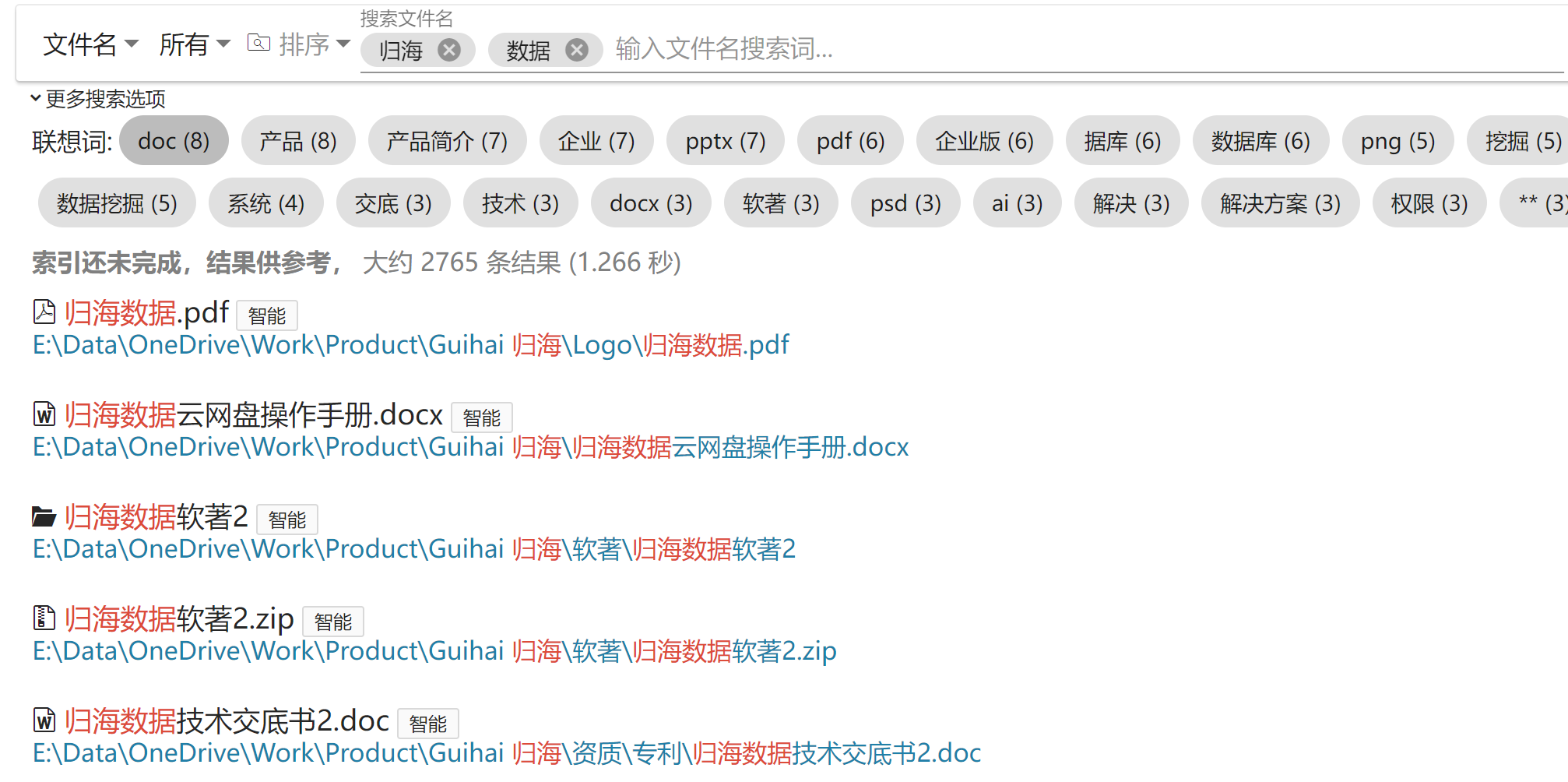
File name search association
We highly recommend that you experience the associative word function in the "file name" mode, the associative word of the file name search, you can gradually recommend the relevant word in the case that your memory is very vague and only remember one word, to help you find the file you don't remember, or find the related file that you didn't notice before
(Indexes need to be added and the index space level is 'Small' or above)!
Similar document search

File Contents similar search

File name similarity search

Known issues
- The issue of not registering for a 60-day trial and having a 7-day trial period after registration.
- The default index of all types of files, can not fool the setting to index only specific types of files (need to be configured according to the official documentation)
note
-
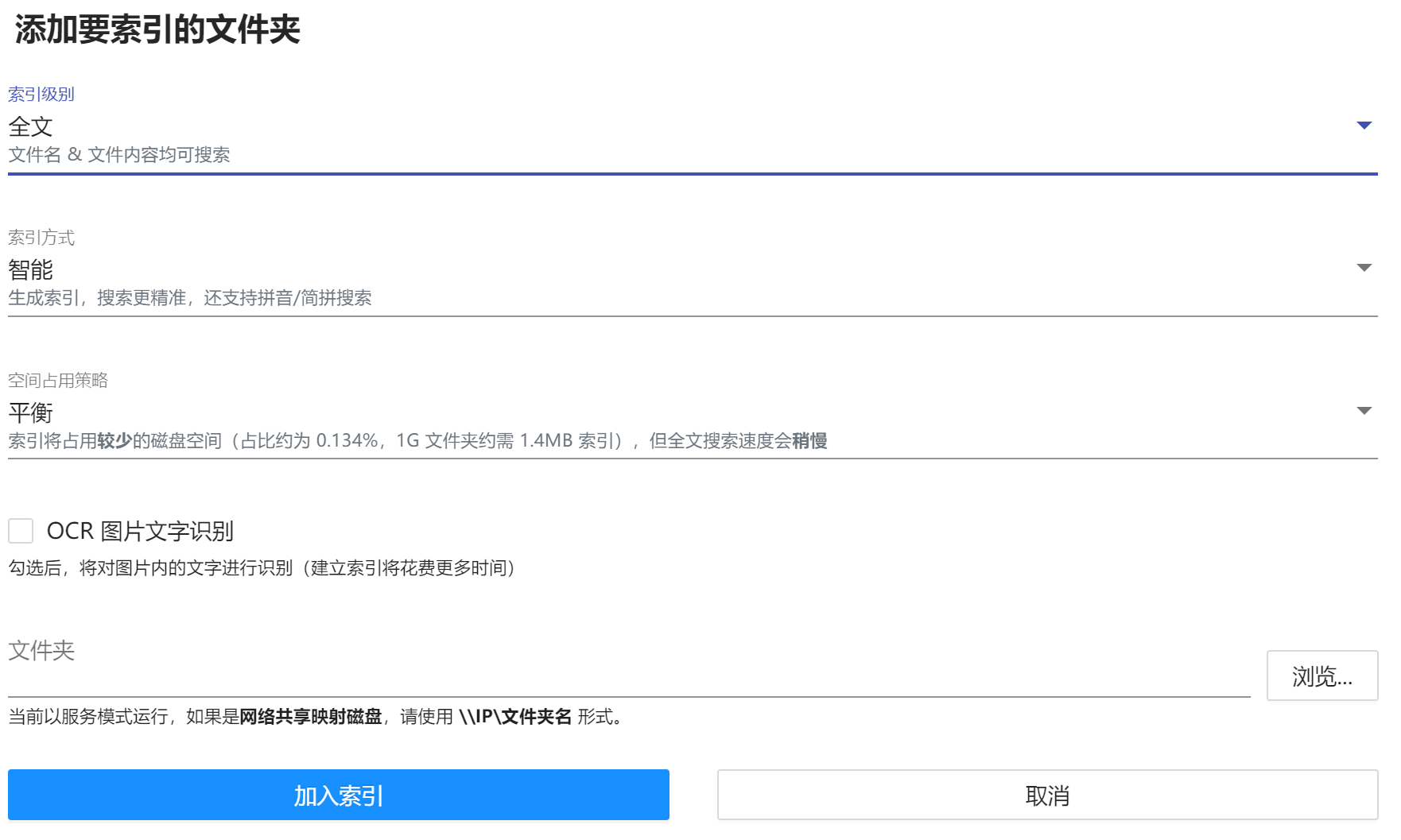
Full-text search is to manually add the folders that need to be indexed, do not add software will not automatically do full-text indexing, please add in the upper right corner "Settings" - > index folder - > add folder index (the interface is as shown below)!

- The default is path search, and full-text content search needs to be selected as content search in the upper left corner (as shown in the following figure):
- The beta version automatically sends an error message and does not contain the contents of the file, but the error message may contain file path information, and subsequent beta versions will be optional.
- If you want to search for a network share mapping disk (for example:
Z:), you need to enterthe form \IPshare name, or you can set it to not install as a service for use. - After uninstalling, the data folder also needs to be deleted manually.
- The beta version has a time limit, after expiration, Content Search will be disabled and need to be updated to a new beta version
Download address:
https://guihaidata.com/download/preview
feedback
QQ: 1926510340 (preferred recommendation)
QQ Group: 943955928 (Recommended)
Email: guihaidata@163.com
WeChat (not often online):

Guihai Desktop Search can intelligently search for files and their contents on the hard disk like a search engine, which means that it allows you to type incorrectly, remember mistakes, and even associate words as long as they are generally correct (indexing is required).
Here's a comparison with the most commonly used Everything search:
Path Search VS Everything
Fuzzy search for path search
 |  |
|---|
Everything Has no results because the folder names are not exactly matched
A participle search for path search
 |  |
|---|
Everything has no results because the folder names are not exactly matched and do not break words
Fault-tolerant search for path search
 |  |
|---|
Everything has no results because there is text that is not in the file name
Comparison of search result similarity for path search1
 |  |
|---|
Everything's results are not as similar as Guihai's
Search result similarity comparison for path search2
 |  |
|---|
Everything's results are not as smart and effective as Guihai's
Path search is a full spelling search
 |  |
|---|
Everything does not support Pinyin Full Pinyin Search
A simple search for path search
 |  |
|---|
Everything does not support Pinyin Simple Pinyin Search
Search for lenovo

Ability to search for associations based on local data relevance (lenovo functions are not networked, but are associated according to local file name correlations)
Content Search
Content Search testing


Code search
The code search is specially optimized, you can search for class names and method names in code files more accurately, and support camel case and pascal case naming participles.
Search method call:

Search for the class name
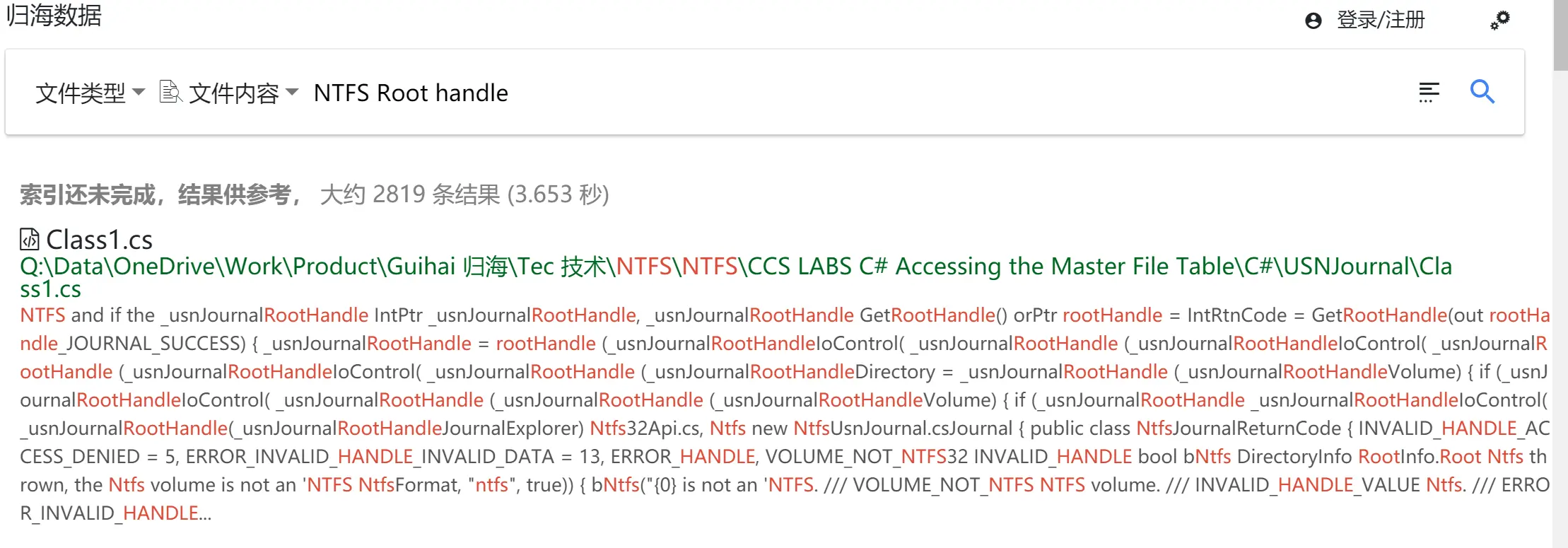
Search for class name + method name fragment
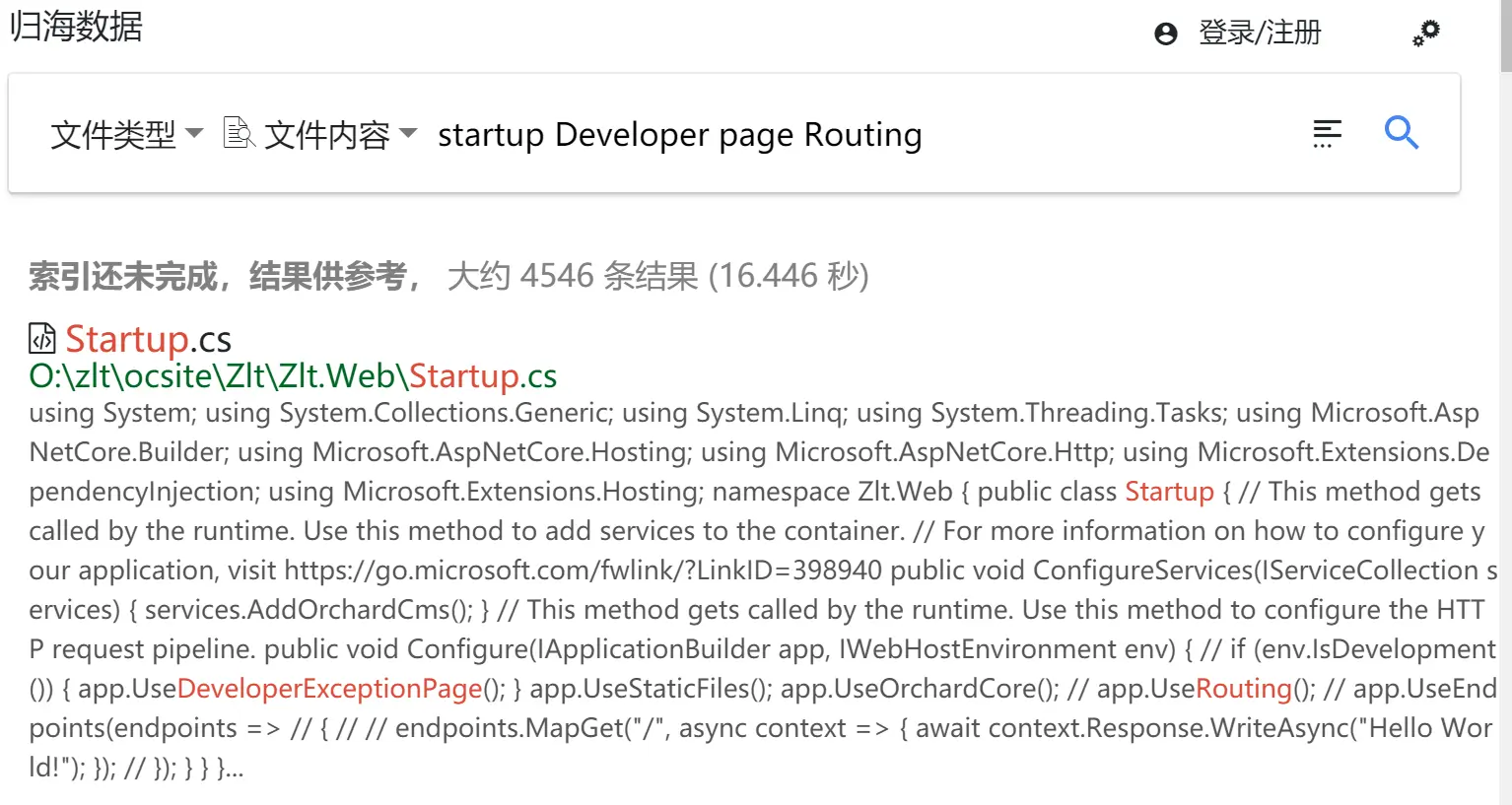
Guihai also supports content search, and, or, non-search.
Picture OCR search
Search after identifying the content in the image

And, or, non-advanced search
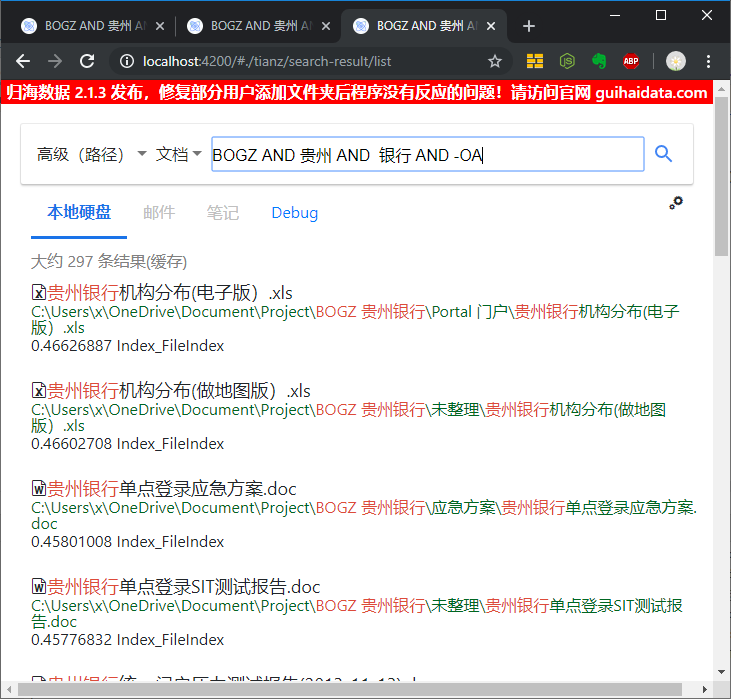
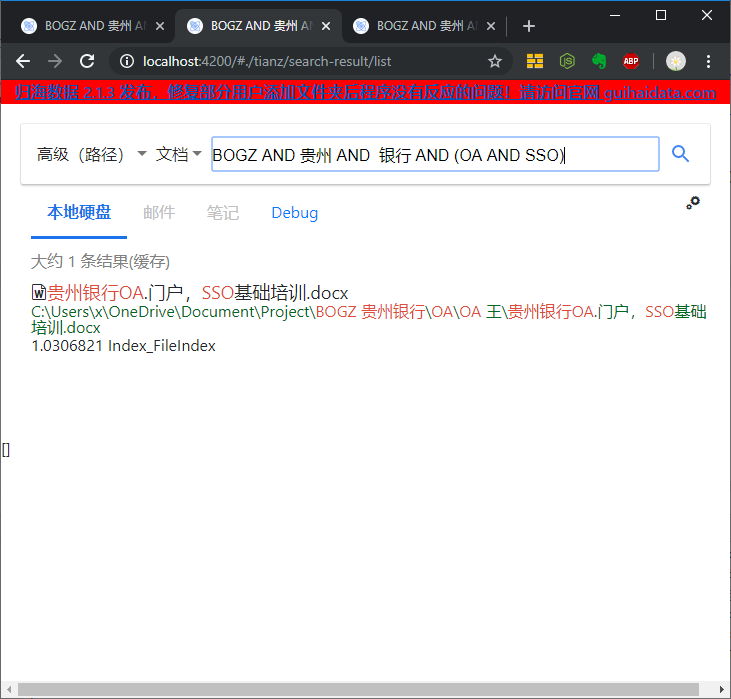
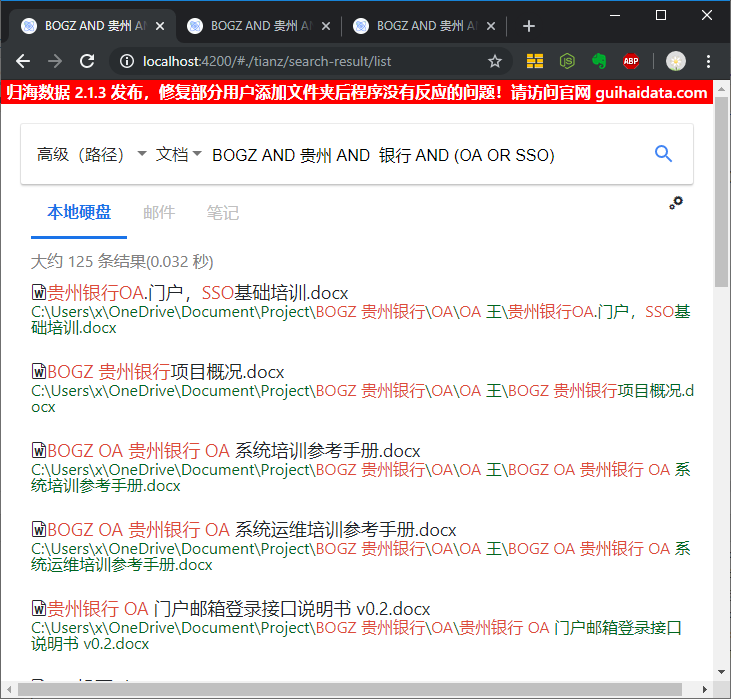
Advanced queries support querying of file names, paths, and file contents, support and, or, or, non-logical, and support regular expressions.
And + and (AND AND) query
BOGZ AND Guizhou AND Bank AND (OA AND SSO)
and + or (ANDOR) query
BOGZ AND Guizhou AND Bank AND (OA OR SSO)
And does not contain (AND NOT) queries
Results without OA: BOGZ AND Guizhou AND Bank AND -OA